

If you manage WordPress websites, one of the worst situations is discovering malware spreading across multiple sites on the same server. Recently, I had to clean and secure several infected WordPress installations after malware kept reinserting itself even after deletion.
In this article, I’ll share the exact process I used to identify, clean, and secure the websites to reduce the risk of reinfection.
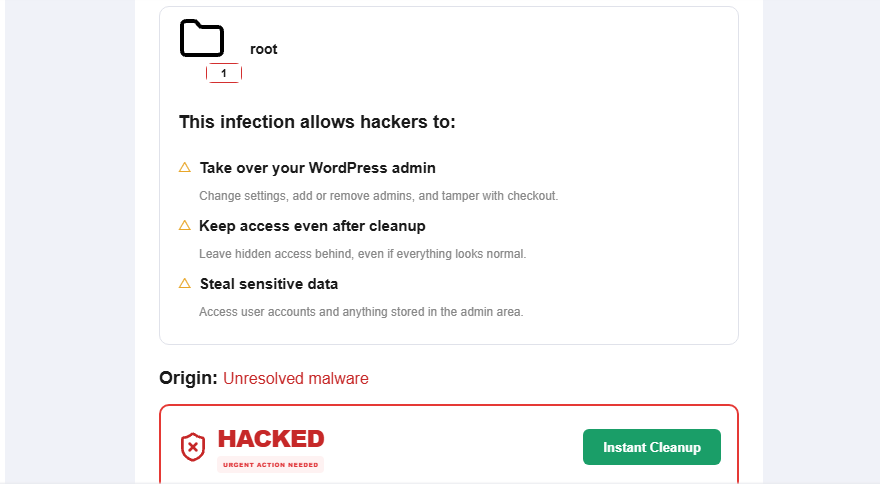
Signs the Websites Were Infected
Some of the common signs included:
- Website redirects to spam sites.
- Security scanners detecting infected “root” or “other” files
- Multiple websites on the same server becoming infected
Backup
By all means ensure having a backup of your site, if you dont have any by the time you encounter into this malware. Then still make a backup in the first place.
Step 1: Identify the Infection Source
Deleting malware files alone is usually not enough. If the malware keeps coming back, there is often:
I first checked:
- wp-content/uploads
- Theme folders
- Plugin folders
- Root directories
- Hidden files
- Database injections
- Cron jobs
one of the easy ways to know the infection is by using a malware scanner a plugin. install it on your hosting panel and wordpress.
I also searched globally for suspicious functions such as:
eval(
base64_decode(
gzinflate(
str_rot13(
shell_exec(
Step 2: Remove Malicious Files
After locating the infected files, I carefully removed:
- Injected PHP code
- Unknown admin scripts
- Fake plugin files
- Hidden backdoors
- Obfuscated malware
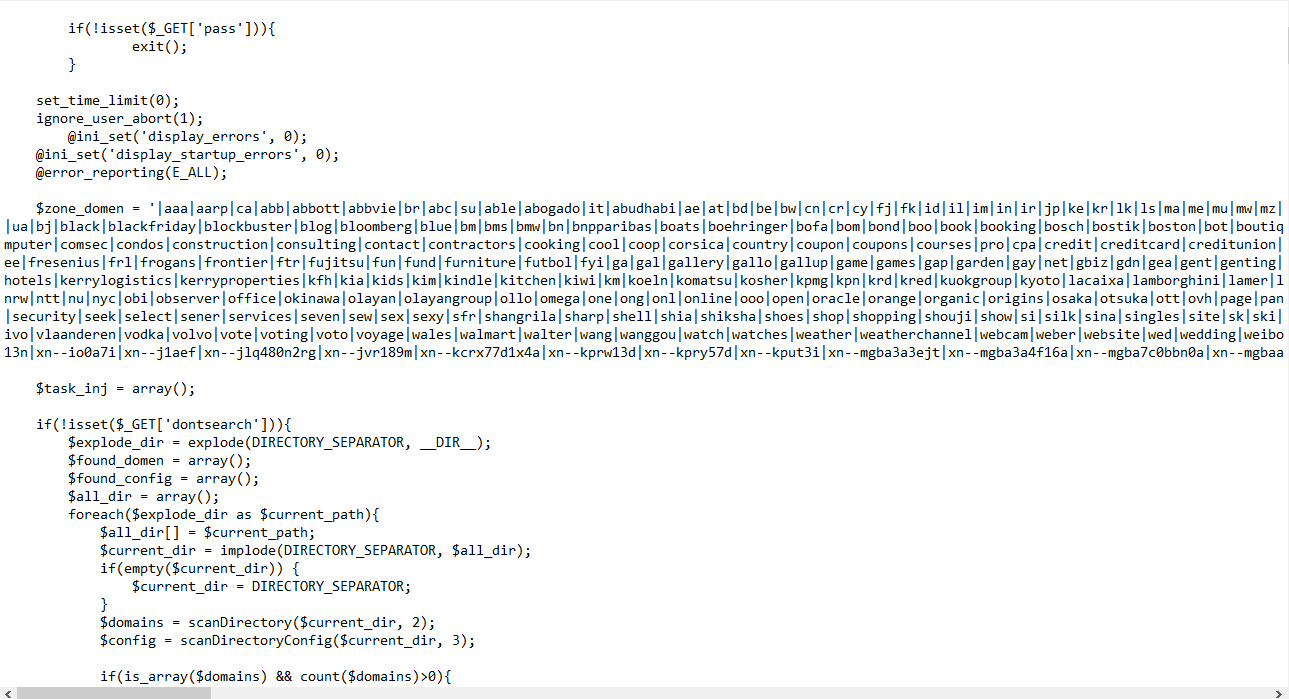
Some malware hides inside:
- Theme files
- Uploads folder
- Cache folders
- Temporary directories
- Fake plugin names
Important: Never delete files blindly without checking whether they belong to WordPress core or legitimate plugins.

Deleting malware files alone is usually not enough. If the malware keeps coming back, there is often:
- A hidden backdoor
- A vulnerable plugin/theme
- Compromised hosting credentials
- An infected database
- Weak file permissions
- Multiple infected websites sharing the same server
Step 3: Scan the Websites
I used malware scanning tools to detect suspicious files and hidden malware.
Useful security tools include:
- MalCare
- Wordfence
- ImunifyAV
These tools helped identify infected files outside normal WordPress directories.
Installed Imunify360 in cyber panel to scan and clean the malware but it didnt clean fully. So most of the code and files, i had to wipe them out manually
Step 4: Reinstall WordPress Core Files
To ensure the core system was clean, I replaced
wp-admin
wp-includes
with fresh copies from the official WordPress installation package.
This helps remove hidden malware inside core files.
Step 5: Update Everything
Outdated software is one of the biggest infection causes.
I updated:
- WordPress core
- Plugins
- Themes
- PHP version
Unused plugins and themes were removed completely.
Step 6: Change All Passwords
I changed:
- WordPress admin passwords
- Hosting panel passwords
- Database passwords
- FTP/SFTP passwords
- SSH passwords
If one credential is compromised, attackers can easily reinfect the sites.
Step 7: Check for Cross-Site Infection
Because multiple websites were hosted on the same server, I inspected every site carefully.
Attackers often move between sites using:
- Shared hosting accounts
- Weak permissions
- Shared admin credentials
- Vulnerable plugins
Cleaning only one site is rarely enough if the server hosts multiple infected websites.
Step 8: Install Protection Against Reinfection
After cleanup, I installed security measures including:
- Web application firewall
- Malware scanning
- Login protection
- File change monitoring
- Automatic backups
Good security plugins can help detect suspicious activity early.
Step 9: Monitor the Server
After cleaning, I continued monitoring:
- Newly modified files
- Unknown admin accounts
- Suspicious traffic
- Malware scanner alerts
The first few days after cleanup are critical because hidden backdoors may still exist.
Lessons Learned
Some important lessons from this cleanup process:
- Malware often hides deeper than expected
- Reinfection usually means a backdoor still exists
- Shared hosting environments increase risk
- Outdated plugins are a major vulnerability
- Proper permissions and monitoring matter
Website security is not a one-time task. It requires continuous maintenance, updates, and monitoring.
Why Website Maintenance Matters for Clients
One important lesson many website owners overlook is that security and maintenance are ongoing responsibilities. Cleaning malware is not a one-time fix websites require continuous monitoring, updates, backups, and security hardening to stay protected.
As a developer or website manager, it is important to explain this clearly to clients.
After cleaning infected websites, I strongly recommend clients subscribe to a maintenance plan that covers:
- Regular WordPress updates
- Plugin and theme updates
- Malware scanning
- Website backups
- Security monitoring
- Performance optimization
- Emergency support
Without ongoing maintenance, websites can easily become vulnerable again, especially when clients ignore updates or use outdated plugins and themes.
In some cases, clients may refuse to pay for maintenance while still expecting full security and support. However, unmanaged websites on the same hosting environment can become a risk to other websites on the server.
For this reason, if a client is unwilling to invest in proper website maintenance and security, it may be safer to advise them to move their website to separate hosting. This helps protect other websites from cross-site infections and reduces server-wide security risks.
Website maintenance is not just an extra service, it is part of keeping a business online, secure, and reliable.
If you fail…
Cleaning and securing a hacked WordPress website can be a difficult and time-consuming process, especially when malware keeps reinfecting the server or hiding in unexpected places. While many issues can be fixed manually, some infections require deeper investigation, server hardening, and advanced cleanup techniques.
If you have tried everything and your website is still infected, compromised, redirecting visitors, or repeatedly getting malware warnings, consider reaching out to me for professional assistance.
I provide:
- WordPress malware cleanup
- Website security hardening
- Reinfection prevention
- Server security checks
- Plugin and theme vulnerability fixes
- Website recovery and optimization
Starting from $100, depending on the complexity of the infection and the number of affected websites.
A properly cleaned and secured website can save your business from downtime, data loss, SEO penalties, and reputation damage.